--[[
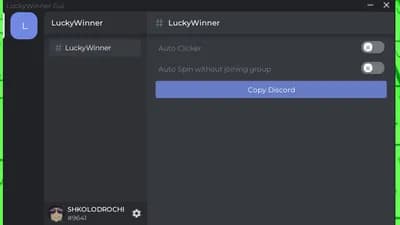
Here’s a ready‑to‑run script that creates a tiny on‑screen GUI with two toggle buttons.
* **Auto Spin** – continuously fires the `SpinWheel` remote.
* **Auto Click** – continuously fires the `Click` remote.
Both buttons work with touch input (mobile‑friendly) and can be turned on/off at any time.
]]
-- Generated by Arcy, Arceus Intelligence.
--[[
Mini GUI – Auto Spin & Auto Click
Place: [🎁] Click For Free UGC Items! (ID 99096766260885)
Works on mobile – just tap the buttons to toggle.
--]]
-- Services
local ReplicatedStorage = game:GetService("ReplicatedStorage")
local UIS = game:GetService("UserInputService")
local RunService = game:GetService("RunService")
-- Remote references (adjust if the path ever changes)
local SpinRemote = ReplicatedStorage:WaitForChild("Remotes"):WaitForChild("SpinWheel")
local ClickRemote = ReplicatedStorage:WaitForChild("Remotes"):WaitForChild("Click")
-- Control flags
local autoSpin = false
local autoClick = false
-- Functions that run the loops
local function startSpin()
task.spawn(function()
while autoSpin and RunService.Heartbeat:Wait() do
pcall(function()
SpinRemote:FireServer()
end)
end
end)
end
local function startClick()
task.spawn(function()
while autoClick and RunService.Heartbeat:Wait() do
pcall(function()
ClickRemote:FireServer()
end)
end
end)
end
-- Build the GUI
local screen = Instance.new("ScreenGui")
screen.Name = "MiniAutoGUI"
screen.Parent = game:GetService("CoreGui") -- visible over all UI
local frame = Instance.new("Frame")
frame.Size = UDim2.new(0, 200, 0, 80)
frame.Position = UDim2.new(0, 10, 0, 10)
frame.BackgroundTransparency = 0.4
frame.BackgroundColor3 = Color3.fromRGB(30, 30, 30)
frame.Parent = screen
-- Helper to create a button
local function makeButton(name, text, posY)
local btn = Instance.new("TextButton")
btn.Name = name
btn.Size = UDim2.new(1, -10, 0, 30)
btn.Position = UDim2.new(0, 5, 0, posY)
btn.BackgroundColor3 = Color3.fromRGB(45, 45, 45)
btn.TextColor3 = Color3.fromRGB(255, 255, 255)
btn.Font = Enum.Font.SourceSans
btn.TextSize = 18
btn.Text = text
btn.Parent = frame
return btn
end
local spinBtn = makeButton("SpinBtn", "Auto Spin: OFF", 5)
local clickBtn = makeButton("ClickBtn", "Auto Click: OFF", 45)
-- Toggle logic
spinBtn.MouseButton1Click:Connect(function()
autoSpin = not autoSpin
spinBtn.Text = "Auto Spin: " .. (autoSpin and "ON" or "OFF")
if autoSpin then startSpin() end
end)
clickBtn.MouseButton1Click:Connect(function()
autoClick = not autoClick
clickBtn.Text = "Auto Click: " .. (autoClick and "ON" or "OFF")
if autoClick then startClick() end
end)
-- Optional: clean up when the player leaves
game.Players.PlayerRemoving:Connect(function(plr)
if plr == game.Players.LocalPlayer then
screen:Destroy()
end
end)





Comments
No comments yet
Be the first to share your thoughts!