![⚡Remote Spy and HTTP Spy [Universal]](/_next/image?url=%2Fassets%2Fscripts%2F68b8452def3248bb1b3ef861_1756906797301_9xKWEkcnPF.webp&w=3840&q=75)
⚡Remote Spy and HTTP Spy [Universal]

Description
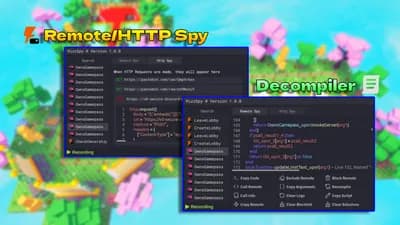
This script can spy on remote events/functions to help you debug things in games like Silent Aim or simple autofarming mechanics.
You can press the green "recording" text to stop logging remotes & http requests, and then click it again to start "recording" the logs.
Also there is a convenient search feature so you can easily sort by the remote you want to find instead of looking deep through random junk
In the bottom box you can see a list of actions:
Copy Code - Copies the text inside of the code box
Call Remote - Calls the remote with the arguments and shows the return value
Call Info, - Shows you the namecall method, calling script, remote, and checkcaller value
Copy Remote - Copies the path to the remote
Exclude remote - Stops showing the remote in logs
Copy Arguments - Sets the remote arguments to clipboard
Clear Logs - Self explanatory
Clear Blocklist - Unblocks all remotes
Block Remote - Completely stops a remote from firing, will still be shown in logs
Decompile - Decompiles the script where the remote gets fired from
Copy script - Copies the path of the script where the remote gets fired from
Clear Exclusions - re-include all remotes
Inside the http spy Tab you will see logs of all http request functions being logged. When one of the http functions are called, it will be logged, and you can right click the frame to copy all the data or click it to to expand the frame and show a codebox including the way the request was called (data and name of actual function) You can find discord webhooks using this.
If the body of the request is longer than 1,000 characters, it will not be logged and instead shows a comment with the link for you to copy
Also, the UI is resizable. You can drag one of the edges for the X/Y axis or hold the bottom right corner to scale on both axis











Comments
sadly doesnt work for Xeno