Prime X Hub

Description
🌟 Universal Features
🎨 5 Premium UI Themes - Dark Green, Dark Blue, Purple Rose, Skeet & Default
📱 Mobile & PC Optimized - Touch controls + drag-and-drop interface
💾 Auto-Save Settings - Your preferences stay saved across sessions
👁️ ESP & Visualization
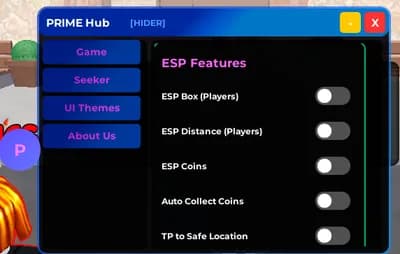
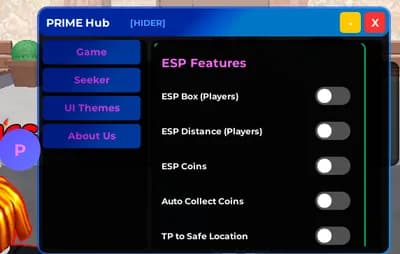
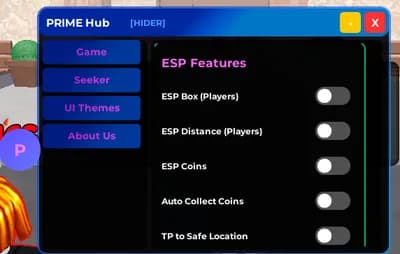
Player ESP📦 Box ESP - See players through walls with colored boxes
📏 Distance Display - Shows player name, role (Seeker/Hider), and distance
🔴 Role Indicators - Red for Seekers, Blue for Hiders
💰 Coin Visualization - Yellow circles highlight all coins on map
🗺️ Real-time Updates - Tracks spawning and collected coins
🤖 Automation
Auto Collect Coins⚡ Fast Collection - Automatically teleports to and collects all coins
🔄 Continuous Loop - Keeps collecting new coins as they spawn
🎯 Smart Detection - Reliable touch triggering system
🏠 Quick Escape - One-click teleport to safe zone
↩️ Return Option - Saves original position for easy return
🎯 Combat Features (Seeker Only)
Aimbot System🔒 Auto-Lock - Automatically tracks nearest hider when enabled
👁️ FOV Circle - Visual indicator with adjustable size (50-300)
📍 Center Lock Option - Lock FOV to screen center or mouse
🚫 Wall Detection - Only targets visible players
🎨 UI Customization
Available Themes🌊 Default - Cyan & Purple gradient
🌿 Dark Green - Nature-inspired theme
🌌 Dark Blue - Deep ocean vibes
🌸 Purple Rose - Elegant pink & purple
💚 Skeet - Lime green aesthetic
⚙️ Controls
Toggle Menu: Click the "P" button (draggable)
Minimize: "-" button in top bar
Close: "X" button to exit script
Drag: Grab top bar or buttons to reposition
🔧 Technical Features
✅ Smooth animations with TweenService
✅ Optimized rendering with RenderStepped
✅ Memory-efficient ESP cleanup
✅ Error handling with pcall protection
✅ No lag or performance drops
📱 Platform Support
✅ PC - Full keyboard & mouse support
✅ Mobile - Touch-optimized controls
✅ Tablet - Responsive UI scaling
👨💻 Credits
Developed by: WENDIGO & COSMIC
Hub Name: PRIME X HUB
Version: Latest Release




Comments
what code u didnt give me a code ?
ai ahh code -- ============================================ -- PLACE THIS CODE AT THE VERY TOP OF YOUR SCRIPT -- (Right after the service declarations) -- ============================================